37% of US shoppers saw their delivery date move after ordering during last year’s peak, according to Narvar data cited by CX Today.
When customers find a new date on a tracking page, they call.
In Black Friday week, those calls land all at once. Your agents spend the day reading the same update out loud.
An outbound voice AI agent for order updates turns that around: you call first.
In short:
- The AI agent calls with the new date and the options.
- If the customer wants to change the outcome, a live agent takes over in seconds, with full history.
- With Call Center Studio’s AI Connector, it runs on the AI engine you choose.
Here’s how to set it up, rule by rule.
Where the Delivery Delay Call Comes From
The delay call is rarely about the delay itself. It’s about the surprise. A customer who learns about a new date from you is mildly disappointed. A customer who finds it on a tracking page feels ignored and calls to say so.
Peak week stacks the odds. The same CX Today piece reports that another 23% had a package marked as delivered that never arrived. Every one of those is an anxious inbound call waiting to happen.
So the first rule is about timing, not tech:
Rule 1: If a delivery date moves, the customer hears it from you before the tracking page tells them.
What counts as “moved” is your call. A few hours? Not worth a phone call. A day or more on a December gift? Absolutely.
Pro tip: Pull last year’s peak-week calls tagged “where is my order” and check how many came in after a date change. That’s your baseline for the whole project.
What Your Outbound Voice AI Agent Should Say
An outbound call is an interruption. Earn it in the first ten seconds.
A good order-update call has four parts:
- Who’s calling and why. “Hi, this is the AI agent from [store], calling about your order from November 27.”
- The news. “Your delivery is now expected on December 4.”
- The options. “You can keep the new date, change the delivery address, or speak to a member of our team.”
- The exit. “Say ‘agent’ at any time if you’d like to talk it through.”
Notice what’s missing: triple apologies and marketing offers.
And yes, say it’s an AI agent. Hiding the AI agent tends to backfire, as we covered in our rules for when and how your voice AI agent should say so.
Rule 2: If the AI agent can’t say it in four sentences, it’s not an update. It’s a conversation, and a person should have it.
When to Hand Off to a Live Agent
The AI agent’s job is the update, not the argument. Set your handoff triggers before launch, not after the first angry call:
- Customer says “cancel” or “refund”? → Transfer.
- Second delay on the same order? → Skip the AI agent. A person calls.
- High-value or flagged order? → A person calls.
- Customer sounds upset, or asks for a human? → Transfer, no questions.
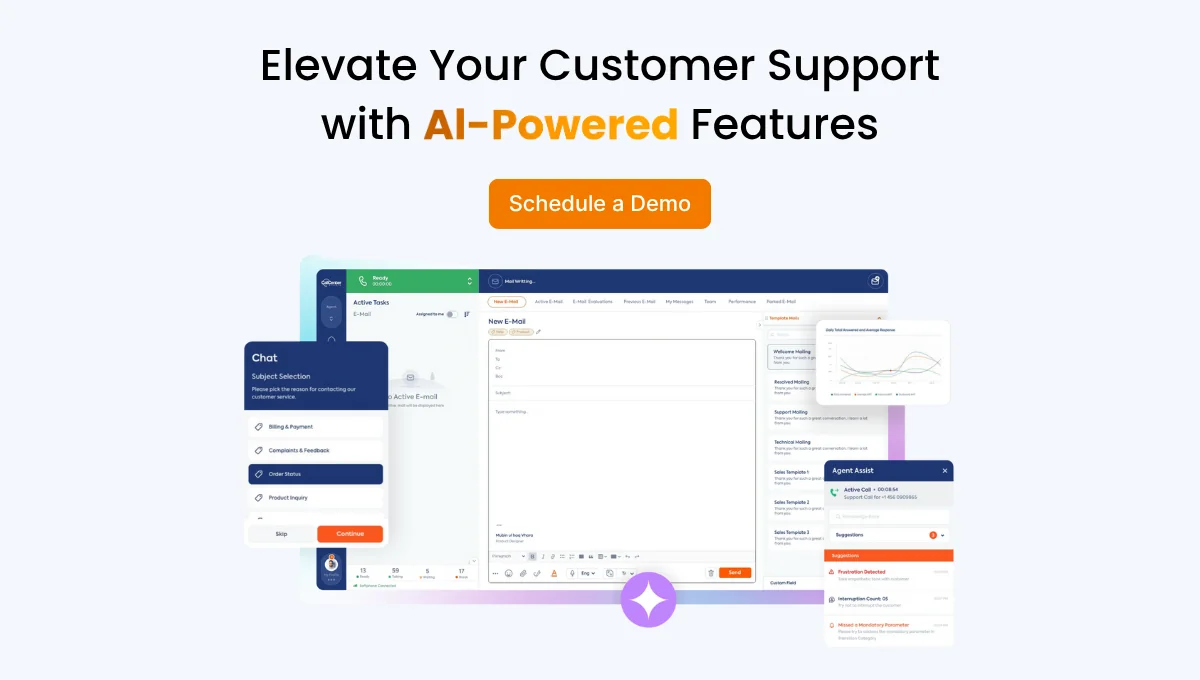
When the AI agent hands off, the human agent shouldn’t start with “How can I help you?” AI Connector transfers the call to the right live agent within seconds, along with its full history and context, so the human agent opens with “I see your order moved to December 4. Let’s sort it out.”
That handoff moment is where most AI projects win or lose trust. We unpacked why in designing smarter AI handoffs in contact centers.
Rule 3: If the customer wants to change the outcome, not just hear it, a person takes over.
Keep Order Updates Helpful, Not Spammy
There’s a fine line between “thanks for telling me” and “please stop calling me”. A few guardrails keep you on the right side:
- One call per change. If the date moves twice, the second contact comes from a person, not the AI agent again.
- Sensible hours. Call when people expect calls, not at 8 a.m. on a Sunday.
- Channel choice. Some customers would rather follow up in writing. AI Connector also answers on live chat, WhatsApp, and social media with the same level of intelligence.
- Local rules first. Outbound calling and automated calls are regulated differently by country. Check your local requirements with your legal team before launch.
Pro tip: Start with one segment, such as gift orders delayed by two days or more, then widen it once the numbers look good.
Rule 4: If a call wouldn’t feel helpful coming from your best human agent, it won’t feel helpful coming from an AI agent.
Count the Inbound Calls You Avoided
The point of calling first is fewer anxious inbound calls. So measure exactly that:
- Inbound “where is my order” calls from customers who got an outbound update vs. those who didn’t.
- Handoff rate and reasons. How often the AI agent transferred, and why.
- Repeat contacts within seven days on the same order.
Treat the customers you didn’t call as your control group for the first week.
So how do you run all of this without rebuilding your contact center? That’s where AI Connector comes in:
- Outbound AI calls. Reminders, surveys, and information updates, made without human intervention.
- Your choice of engine. ChatGPT, Claude, ElevenLabs, Google Dialogflow, Microsoft Azure, Vapi, custom AI agents or Call Center Studio’s own AI.
- Live agent transfer. The right human agent, within seconds, with full history and context.
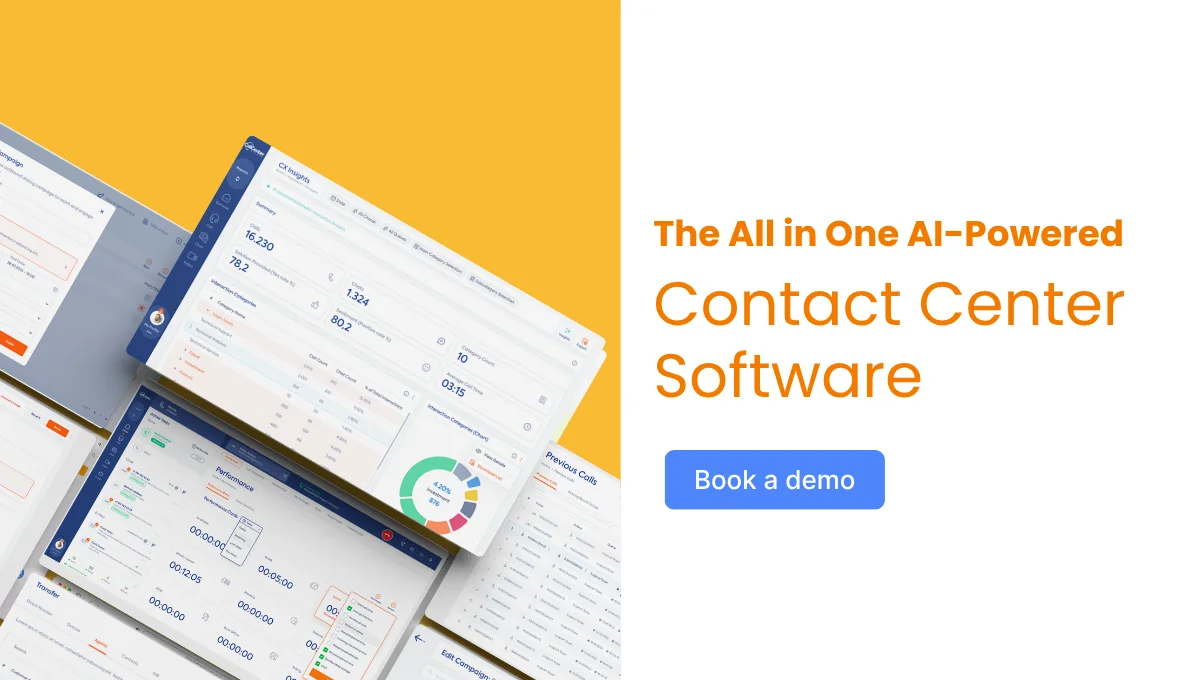
- One screen. Organize call flows, monitor AI agent performance, and configure channel settings in the panel you already use.
- Works with your existing IVR. No need to replace your current structure.
One thing to plan for: AI Connector doesn’t come with a built-in order system. Your team connects the order data that tells the AI agent whose delivery moved. Explore the wider set of AI tools and omnichannel customer service features for the rest of the journey.
Rule 5: If you can’t count the calls you avoided, you can’t prove the AI agent paid for itself.
Call Them Before They Call You
Back to the customer on the tracking page. With an outbound update, she never had to look. She got a call, a new date, and a choice, and she didn’t need to dial you at all.
Already testing voice AI elsewhere? Our guide to turning your night shift into a voice AI pilot is another low-risk place to start.
Launch outbound AI calls on your existing flows with AI Connector. Book your demo today.

FAQ
Can a voice AI agent make outbound calls for order updates?
Yes. AI Connector supports outbound AI calls for information updates without human intervention. Your team connects the order data that triggers each call.
Will customers know they’re talking to AI?
They should. Open with a short, plain disclosure and a clear way to reach a person. It sets honest expectations from the first second.
What happens if the customer wants to cancel?
The AI agent transfers the call. AI Connector routes it to the right live agent within seconds, with the full history, so the customer doesn’t have to repeat anything.
37% of US shoppers saw their delivery date move after ordering during last year’s peak, according to Narvar data cited by CX Today.
When customers find a new date on a tracking page, they call.
In Black Friday week, those calls land all at once. Your agents spend the day reading the same update out loud.
An outbound voice AI agent for order updates turns that around: you call first.
In short:
- The AI agent calls with the new date and the options.
- If the customer wants to change the outcome, a live agent takes over in seconds, with full history.
- With Call Center Studio’s AI Connector, it runs on the AI engine you choose.
Here’s how to set it up, rule by rule.
Where the Delivery Delay Call Comes From
The delay call is rarely about the delay itself. It’s about the surprise. A customer who learns about a new date from you is mildly disappointed. A customer who finds it on a tracking page feels ignored and calls to say so.
Peak week stacks the odds. The same CX Today piece reports that another 23% had a package marked as delivered that never arrived. Every one of those is an anxious inbound call waiting to happen.
So the first rule is about timing, not tech:
Rule 1: If a delivery date moves, the customer hears it from you before the tracking page tells them.
What counts as “moved” is your call. A few hours? Not worth a phone call. A day or more on a December gift? Absolutely.
Pro tip: Pull last year’s peak-week calls tagged “where is my order” and check how many came in after a date change. That’s your baseline for the whole project.
What Your Outbound Voice AI Agent Should Say
An outbound call is an interruption. Earn it in the first ten seconds.
A good order-update call has four parts:
- Who’s calling and why. “Hi, this is the AI agent from [store], calling about your order from November 27.”
- The news. “Your delivery is now expected on December 4.”
- The options. “You can keep the new date, change the delivery address, or speak to a member of our team.”
- The exit. “Say ‘agent’ at any time if you’d like to talk it through.”
Notice what’s missing: triple apologies and marketing offers.
And yes, say it’s an AI agent. Hiding the AI agent tends to backfire, as we covered in our rules for when and how your voice AI agent should say so.
Rule 2: If the AI agent can’t say it in four sentences, it’s not an update. It’s a conversation, and a person should have it.
When to Hand Off to a Live Agent
The AI agent’s job is the update, not the argument. Set your handoff triggers before launch, not after the first angry call:
- Customer says “cancel” or “refund”? → Transfer.
- Second delay on the same order? → Skip the AI agent. A person calls.
- High-value or flagged order? → A person calls.
- Customer sounds upset, or asks for a human? → Transfer, no questions.
When the AI agent hands off, the human agent shouldn’t start with “How can I help you?” AI Connector transfers the call to the right live agent within seconds, along with its full history and context, so the human agent opens with “I see your order moved to December 4. Let’s sort it out.”
That handoff moment is where most AI projects win or lose trust. We unpacked why in designing smarter AI handoffs in contact centers.
Rule 3: If the customer wants to change the outcome, not just hear it, a person takes over.
Keep Order Updates Helpful, Not Spammy
There’s a fine line between “thanks for telling me” and “please stop calling me”. A few guardrails keep you on the right side:
- One call per change. If the date moves twice, the second contact comes from a person, not the AI agent again.
- Sensible hours. Call when people expect calls, not at 8 a.m. on a Sunday.
- Channel choice. Some customers would rather follow up in writing. AI Connector also answers on live chat, WhatsApp, and social media with the same level of intelligence.
- Local rules first. Outbound calling and automated calls are regulated differently by country. Check your local requirements with your legal team before launch.
Pro tip: Start with one segment, such as gift orders delayed by two days or more, then widen it once the numbers look good.
Rule 4: If a call wouldn’t feel helpful coming from your best human agent, it won’t feel helpful coming from an AI agent.
Count the Inbound Calls You Avoided
The point of calling first is fewer anxious inbound calls. So measure exactly that:
- Inbound “where is my order” calls from customers who got an outbound update vs. those who didn’t.
- Handoff rate and reasons. How often the AI agent transferred, and why.
- Repeat contacts within seven days on the same order.
Treat the customers you didn’t call as your control group for the first week.
So how do you run all of this without rebuilding your contact center? That’s where AI Connector comes in:
- Outbound AI calls. Reminders, surveys, and information updates, made without human intervention.
- Your choice of engine. ChatGPT, Claude, ElevenLabs, Google Dialogflow, Microsoft Azure, Vapi, custom AI agents or Call Center Studio’s own AI.
- Live agent transfer. The right human agent, within seconds, with full history and context.
- One screen. Organize call flows, monitor AI agent performance, and configure channel settings in the panel you already use.
- Works with your existing IVR. No need to replace your current structure.
One thing to plan for: AI Connector doesn’t come with a built-in order system. Your team connects the order data that tells the AI agent whose delivery moved. Explore the wider set of AI tools and omnichannel customer service features for the rest of the journey.
Rule 5: If you can’t count the calls you avoided, you can’t prove the AI agent paid for itself.
Call Them Before They Call You
Back to the customer on the tracking page. With an outbound update, she never had to look. She got a call, a new date, and a choice, and she didn’t need to dial you at all.
Already testing voice AI elsewhere? Our guide to turning your night shift into a voice AI pilot is another low-risk place to start.
Launch outbound AI calls on your existing flows with AI Connector. Book your demo today.
FAQ
Can a voice AI agent make outbound calls for order updates?
Yes. AI Connector supports outbound AI calls for information updates without human intervention. Your team connects the order data that triggers each call.
Will customers know they’re talking to AI?
They should. Open with a short, plain disclosure and a clear way to reach a person. It sets honest expectations from the first second.
What happens if the customer wants to cancel?
The AI agent transfers the call. AI Connector routes it to the right live agent within seconds, with the full history, so the customer doesn’t have to repeat anything.