
That faint voice of fans coming from the system room…
The rows of blinking lights…
Those machines that evoke excitement with their mysterious appearance…
In other words, your physical servers…
They were once symbols of stability, control, and professionalism. However, they are now nothing more than evidence of how your resources are slowly being depleted.
In this article, we will discuss the costs that traditional server-based contact centers create for modern operations. Throughout the piece, our focus will be on these specific costs:
- High upfront investment costs (CAPEX),
- Never-ending maintenance processes,
- Limited scalability, and
- Slow adaptation to changing customer demands.
Let’s begin.
The Hidden Side of Traditional Server Systems
Setting up a physical system requires significant upfront capital for servers, PBX hardware, cabling, and physical space. In other words, it means trapping cash, which could otherwise be spent on marketing, product development, or employee training, into hardware.
Furthermore, the issue isn’t limited to the magnitude of the opportunity cost. “Hidden” costs emerge primarily in three distinct categories:
- Maintenance and Updates: Servers require climate control systems, hardware renewals every 3-5 years, and constant software patches.
- IT Workload: Instead of producing strategic projects, your IT team spends their time “keeping the system alive.” They cease to be an innovative unit and turn into hardware repairmen.
- The Scalability Deadlock: Traditional systems are built for “peak” moments rather than “average” traffic. If you expect a surge during periods like Black Friday, you must purchase enough servers to handle that intensity. For the remaining 11 months of the year, that expensive hardware sits idle.
Consequently, managers inevitably begin to question:
Does it really make sense to operate a mini data center just to answer customer calls?
For most companies, the answer is NO, and switching to a cloud-based system becomes an unavoidable necessity. However, making this decision alone is not enough. Which platform will you migrate to? At this stage, the technical team of the platform you choose for the transition is of vital importance.
- Because more than 40% of cloud contact center migrations fail due to the complexity of legacy systems. However, when working with an expert team, the success rate rises up to 89%.
🎯 Switching to a cloud-based contact center platform like Call Center Studio changes the fundamental mathematics of your operation. Instead of a bulky and hardware-oriented structure, you move to a pay-as-you-go model. This transforms your financial structure from unpredictable capital expenditures (CAPEX) into manageable and predictable operating expenses (OPEX).
4 Reasons Cloud-Native Systems are the New Black
Cloud technology, which creates incredible flexibility and cost advantages, deserves praise for the benefits it brings to the field of customer service, just as it does in every other sector. These advantages can be summarized under four headings:
1. Limitless Scalability Without Hardware
Whether you are expanding into new markets or facing sudden campaign traffic, thanks to scalable contact center software, you can instantly add or remove users. By paying only for the capacity you use, you ensure that your infrastructure costs always run parallel to your actual revenue.
2. Rapid Setup and Innovation
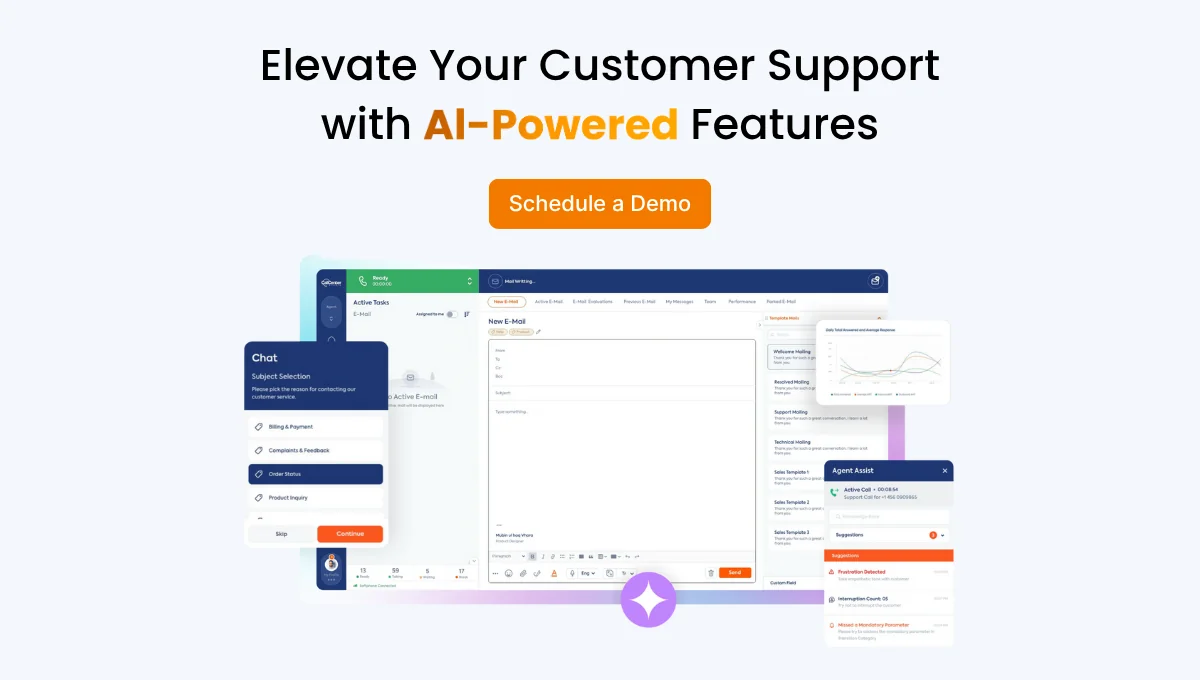
If the transition to a cloud contact center is carried out with the right teams, it happens within weeks, not months. Furthermore, since infrastructure management lies with the service provider, you gain instant access to advanced tools like AI-Powered Chatbots and Predictive Dialers without installing a single file on your local system.
3. Remote Workforce Power
Customer representatives, like all employees, want to benefit from the advantages of modern technology. Employees no longer want to be trapped at a desk in a building. You can, of course, create a remote working system with physical servers, but this requires complex VPN configurations.
In contrast, a cloud platform offers a remote work infrastructure accessible from anywhere with internet. This allows you to work with the most talented individuals across the globe without the need for complex processes.
4. Reducing IT Workload and Operational Risks
While the technical responsibility for physical servers rests on you, the IT team cannot regularly devote time to creative tasks. This is because fixing technical glitches is always the most urgent job. However, in a cloud-based system, contact center modernization is handed over to expert hands, allowing your own team to focus on development activities.
- Security and Compliance: Leading cloud providers maintain the highest levels of data encryption and global standards like KVKK/GDPR. Ensuring a local server remains 100% secure at all times is both exhausting and very costly for a small IT team.
- Disaster Recovery: If your office experiences a flood or a power outage, your physical server goes silent. Thanks to its redundant structure, a cloud-based platform ensures your customer service continues uninterrupted, even if your office is physically inaccessible.
Cost Comparison Table and Migration Checklist
Below, we have prepared a table where you can compare traditional server systems with cloud-based systems. This way, you can easily see the differences between the two.
| Cost Item | Traditional Server (On-Premise) | Cloud Contact Center |
| Initial Investment | High (Hardware, license, setup) | Near Zero (Only setup/training) |
| Payment Model | Fixed and High (CAPEX) | Flexible / Pay-as-you-go (OPEX) |
| Scalability | Difficult & Costly (Requires hardware) | Instant and Free (Capacity fluctuates) |
| Maintenance | In-house IT team & spare parts cost | Borne by Provider (No extra cost) |
| System Room Expense | Electricity, cooling, physical space | None (Hosted on the cloud) |
| Software Update | Manual and sometimes paid versions | Automatic and Continuous (Always latest) |
| Disaster Recovery | Requires expensive secondary location | Built-in Redundancy (Automatic backup) |
Now you have an exact frame about cloud contact center. If you feel like you need a migration then you are going to need an checklist.
You can use this 10-step checklist during your process, or you can simply let us know to help you all the way through.
- [ ] Needs Analysis: Identification of current bottlenecks and clarifying goals (KPIs).
- [ ] Technical Infrastructure Check: Auditing internet bandwidth and end-device (headset, computer) compatibility.
- [ ] Vendor Selection: Selecting a partner like Call Center Studio based on scalability and security (KVKK compliance) criteria.
- [ ] Data Mapping: Planning how existing CRM and customer data will be migrated to the cloud.
- [ ] Integration Plan: Designing API integrations for 3rd party software used (Salesforce, SAP, etc.).
- [ ] Security and Compliance: Establishing data privacy protocols and authorization hierarchies.
- [ ] Agent Training: Training customer representatives on the new interface and AI tools.
- [ ] Pilot Application: Testing the system in a live environment with a small team.
- [ ] Go-Live: Moving the entire operation to the cloud gradually or all at once.
- [ ] Post-Launch Monitoring: Measuring performance after the transition and performing optimization work.
Why Call Center Studio?
- Google-Native Infrastructure: Since Call Center Studio runs on Google infrastructure, it offers a 99.99% uptime guarantee.
- Fast ROI: Return on investment (ROI) begins to be seen within the first 6 months as hardware costs are eliminated and agent productivity increases.